
Pier vs Claude Desktop
Claude Desktop is Anthropic's desktop app for Claude. It includes Chat, Cowork, and Claude Code in one app. Claude Code runs in the desktop app on macOS and Windows.
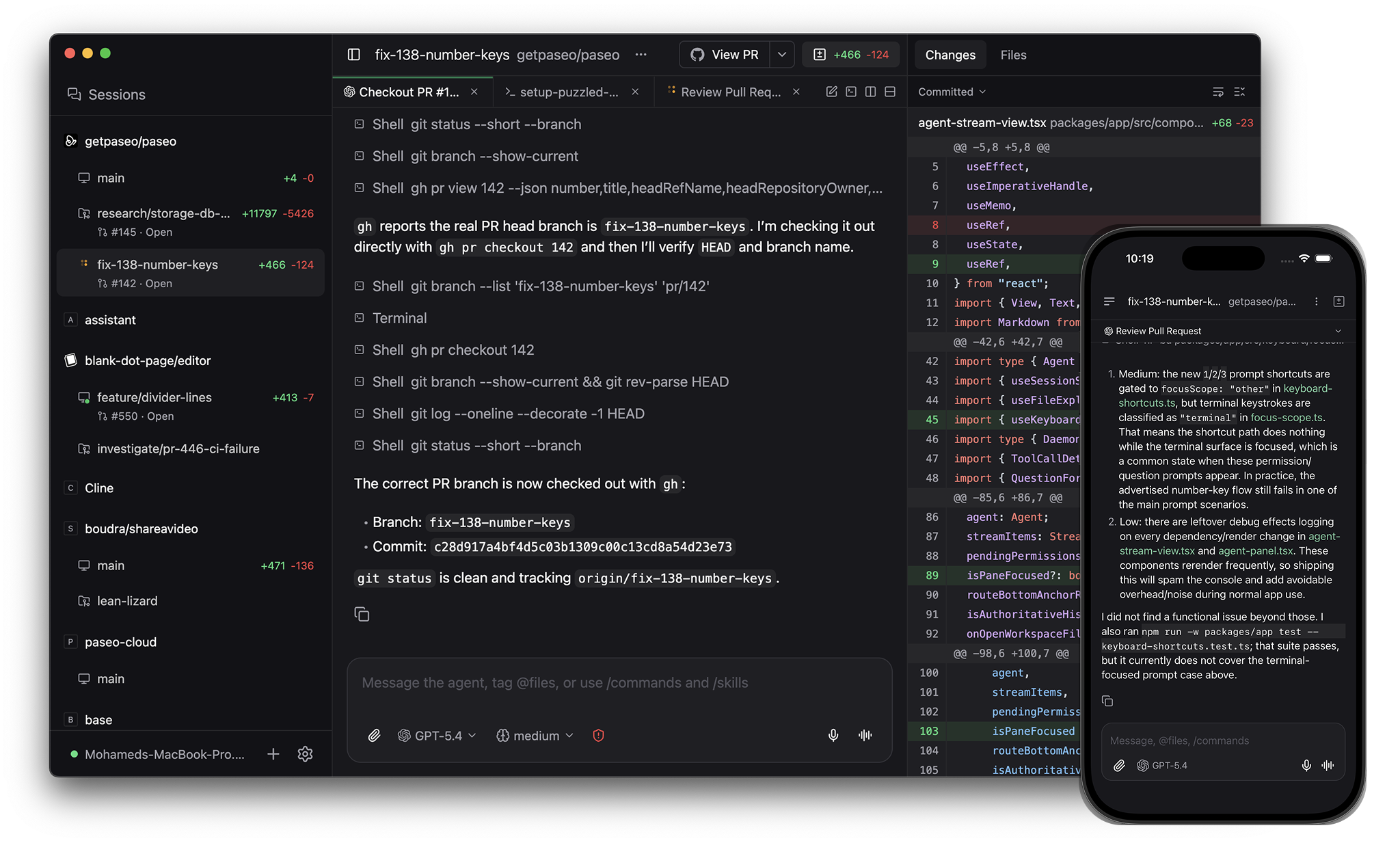
Pier is an app for orchestrating coding agents, with native clients on desktop, mobile, web, and the CLI. Source-available commercial license.
When to pick what
Pick Claude Desktop if you want Anthropic's first-party app for Claude, Claude Cowork, and Claude Code, with Anthropic-managed cloud sessions and the tightest Claude account integration.
Pick Pier if you want:
- Linux alongside macOS and Windows
- A native iOS and Android app for the same agent workflow
- Claude Code, Codex, OpenCode, Copilot, Pi, and 30+ more agents in one interface
- A self-hosted daemon you can run on a laptop, VM, or dev server
- A CLI and MCP server for scripting and multi-agent workflows
- Source access you can audit and adapt under your commercial license
Architecture
Pier runs a daemon on your machine. Desktop, web, mobile, and CLI clients connect to it over a websocket. The daemon launches Claude Code and other providers as local processes, using your installed CLIs, credentials, MCP servers, skills, and project config.
Claude Desktop is the host app. The Code tab can run Claude Code locally, connect over SSH, or run remote sessions on Anthropic infrastructure.
Providers
Claude Desktop runs Claude Code.
Pier runs Claude Code too, plus Codex, OpenCode, and Pi natively, plus 30+ more agents through the in-app catalog including GitHub Copilot, Cursor, Gemini CLI, and Amp. Pier speaks the Agent Client Protocol, so any ACP agent works. Custom providers run any CLI agent. See Supported providers.
Desktop platforms
Claude Desktop is available on macOS and Windows. Anthropic lists Linux as not available.
Pier ships on macOS, Linux, and Windows.
Mobile
Pier ships native iOS and Android apps with the same agent workflow as the desktop app.
Claude has iOS and Android apps. Claude Code can be controlled from mobile through Remote Control, and Claude Desktop can pair with mobile for some workflows.
Panes
Both tools support visual coding workflows around Claude Code.
Pier's app has split panes and tabs (⌘D for vertical, ⌘⇧D for horizontal). Panes include agents, terminals, a diff viewer, and a browser for testing running services.
Claude Desktop has a graphical Code tab with sessions, integrated terminal, file editor, visual diff review, live app preview, PR monitoring, and scheduled tasks.
GitHub
Pier's app handles commit, push, opening PRs, watching checks and reviews, and merging.
Claude Desktop can monitor pull request status and can fix failures or merge when checks pass, depending on the workflow and permissions.
CLI and automation
Claude Code has its own CLI, IDE integrations, web surface, scheduled tasks, and cloud sessions.
Pier's CLI controls the same daemon as the app:
pier run --provider claude "implement OAuth"
pier run --provider codex --worktree refactor-auth "refactor auth"
pier run --host devbox:6767 "run the test suite"
pier ls
pier send <agent-id> "add tests"
pier schedule create --cron "0 9 * * 1" "audit the codebase"
pier run --host connects to a remote daemon. pier schedule runs an agent on a cron. pier loop retries an agent until a verification command passes. The MCP server lets other agents create worktrees, launch agents, open terminals, and send prompts.
Worktrees and services
Both tools support parallel coding sessions, including Git worktrees.
Pier also gives each worktree its own dev server hostname. Two agents running their dev servers at the same time get web--fix-auth--my-app.localhost and web--add-search--my-app.localhost instead of port collisions.
Voice
Pier supports dictation and realtime voice mode. Speech-to-text and text-to-speech can run locally on your device.
Claude supports voice in Claude's own mobile and app surfaces. Claude Code itself is available in Claude Desktop, terminal, IDE, web, and mobile Remote Control workflows.
Comparison
| Pier | Claude Desktop | |
|---|---|---|
| License | Source-available commercial license | Not published as open source |
| Desktop platforms | macOS, Linux, Windows | macOS, Windows |
| Native mobile | iOS, Android | iOS, Android Claude apps |
| Coding agents | Claude Code, Codex, OpenCode, Pi + 30+ via ACP catalog + custom | Claude Code |
| General chat | No | Claude Chat |
| Cloud agent | Cloud waitlist | Claude Cowork and remote sessions |
| Local execution | Yes | Yes |
| SSH remote execution | Via daemon on the remote host | Yes |
| Git worktrees | Yes | Yes |
| Per-worktree dev server URLs | Yes | No |
| Split panes and tabs | Yes | Yes |
| In-app terminal | Yes | Yes |
| In-app browser / preview | Yes | Yes |
| GitHub workflow in app | Commit, push, PR, checks, reviews, merge | PR monitoring and merge workflows |
| CLI | Run, --host, ls, send, schedule, loop | Claude Code CLI |
| MCP server for orchestration | Yes | MCP support inside Claude Code |
| Self-hosted daemon | Yes | No |
See also: Pier vs Codex App, Pier vs OpenCode Desktop, Pier vs Conductor.