
Pier vs Codex App
Codex App is OpenAI's desktop app for working with Codex threads in parallel. It runs on macOS and Windows, with local, worktree, and cloud modes.
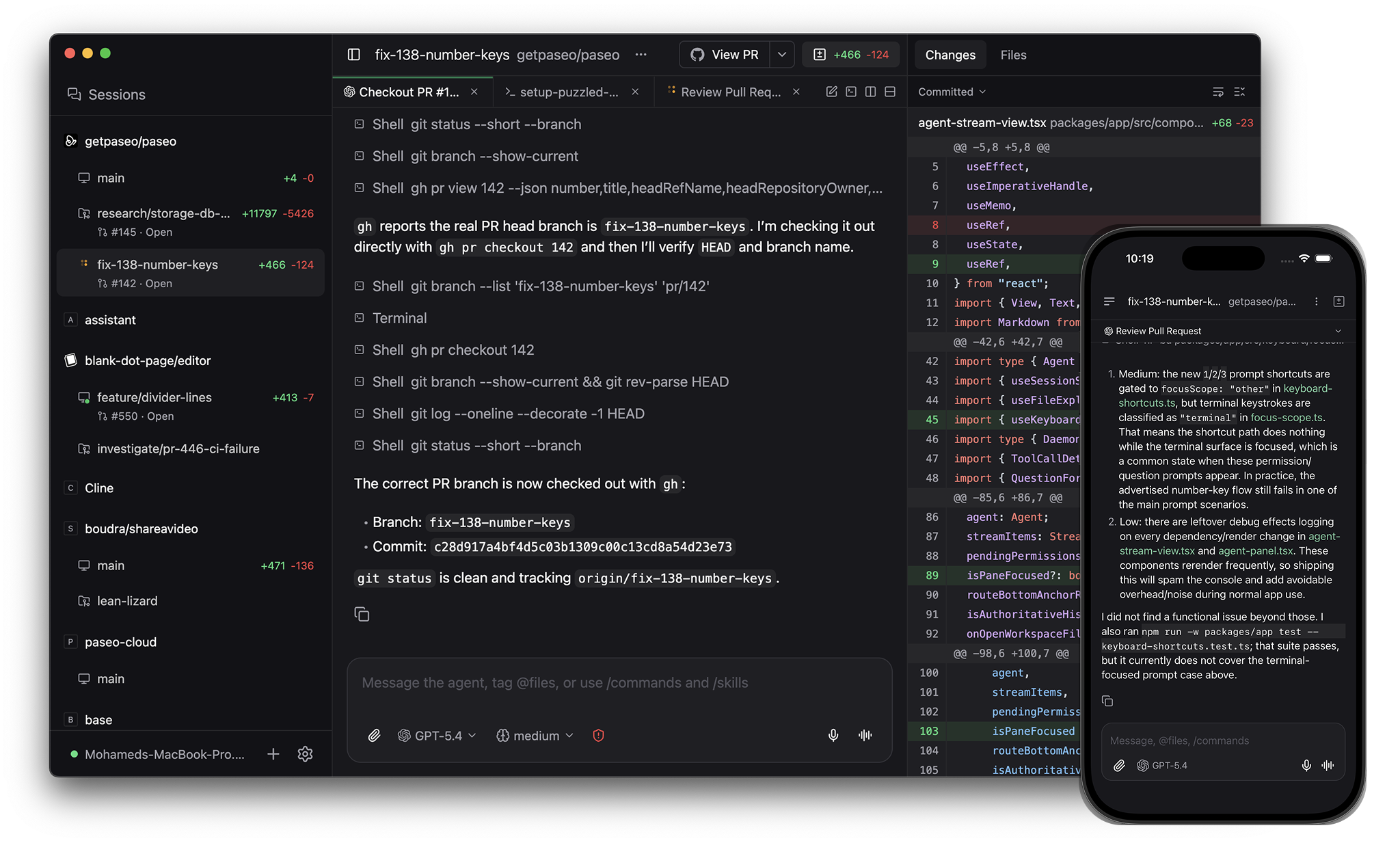
Pier is an app for orchestrating coding agents, with native clients on desktop, mobile, web, and the CLI. Source-available commercial license.
When to pick what
Pick Codex App if you want OpenAI's first-party app for Codex, with Codex-specific features like cloud threads, appshots, image generation, and computer use on macOS.
Pick Pier if you want:
- Linux alongside macOS and Windows
- A native iOS and Android app
- Codex, Claude Code, OpenCode, Copilot, Pi, and 30+ more agents in one interface
- A self-hosted daemon you can run on a laptop, VM, or dev server
- A CLI and MCP server for scripting and multi-agent workflows
- Source access you can audit and adapt under your commercial license
Architecture
Pier runs a daemon on your machine. Desktop, web, mobile, and CLI clients connect to it over a websocket. The daemon launches Codex and other providers as local processes, using your installed CLIs and credentials.
Codex App is a desktop app for Codex. It can run local and worktree threads on your computer, and cloud threads on OpenAI-managed infrastructure.
Providers
Codex App runs Codex.
Pier runs Codex too, plus Claude Code, OpenCode, and Pi natively, plus 30+ more agents through the in-app catalog including GitHub Copilot, Cursor, Gemini CLI, and Amp. Pier speaks the Agent Client Protocol, so any ACP agent works. Custom providers run any CLI agent. See Supported providers.
Desktop platforms
Codex App is available on macOS and Windows. OpenAI lists Linux as not available yet.
Pier ships on macOS, Linux, and Windows.
Mobile
Pier ships native iOS and Android apps with the same agent workflow as the desktop app.
Codex can be controlled remotely through OpenAI's mobile surfaces, including ChatGPT mobile remote connections. Codex App itself is a desktop app.
Worktrees and local setup
Both tools support Git worktrees for parallel work.
Codex App creates Codex-managed worktrees under $CODEX_HOME/worktrees and supports local environment setup scripts and project actions through .codex configuration.
Pier creates worktrees under $PIER_HOME/worktrees, runs setup and teardown hooks from pier.json, and gives each worktree its own dev server hostnames like web--fix-auth--my-app.localhost so parallel services don't fight for ports.
GitHub and review
Both tools support reviewing diffs, committing, pushing, and opening pull requests from the app.
Pier also surfaces PR checks and reviews in the app, and exposes the same workflow through the CLI and MCP server.
CLI and automation
Codex has its own CLI, IDE extension, web app, automations, and SDK.
Pier's CLI controls the same daemon as the app:
pier run --provider codex "implement OAuth"
pier run --provider claude --worktree refactor-auth "refactor auth"
pier run --host devbox:6767 "run the test suite"
pier ls
pier send <agent-id> "add tests"
pier schedule create --cron "0 9 * * 1" "audit the codebase"
pier run --host connects to a remote daemon. pier schedule runs an agent on a cron. pier loop retries an agent until a verification command passes. The MCP server lets other agents create worktrees, launch agents, open terminals, and send prompts.
Voice
Codex App supports voice dictation.
Pier supports dictation and realtime voice mode. Speech-to-text and text-to-speech can run locally on your device.
Comparison
| Pier | Codex App | |
|---|---|---|
| License | Source-available commercial license | Not published as open source |
| Desktop platforms | macOS, Linux, Windows | macOS, Windows |
| Native mobile | iOS, Android | No |
| Providers | Codex, Claude Code, OpenCode, Pi + 30+ via ACP catalog + custom | Codex |
| Local execution | Yes | Yes |
| Cloud execution | Cloud waitlist | Yes |
| Git worktrees | Yes | Yes |
| Per-worktree dev server URLs | Yes | No |
| In-app terminal | Yes | Yes |
| In-app browser | Yes | Yes |
| GitHub workflow in app | Commit, push, PR, checks, reviews, merge | Commit, push, PR |
| CLI | Run, --host, ls, send, schedule, loop | Codex CLI |
| MCP server for orchestration | Yes | MCP support inside Codex |
| Voice | Dictation and realtime voice | Dictation |
| Self-hosted daemon | Yes | No |
See also: Pier vs Claude Desktop, Pier vs OpenCode Desktop, Supported providers.