
Pier vs Happy Coder
Happy Coder is a mobile and web client for Claude Code and Codex. It wraps the agent CLI on your laptop and syncs sessions to phone and browser over an end-to-end encrypted relay. Open source under MIT.
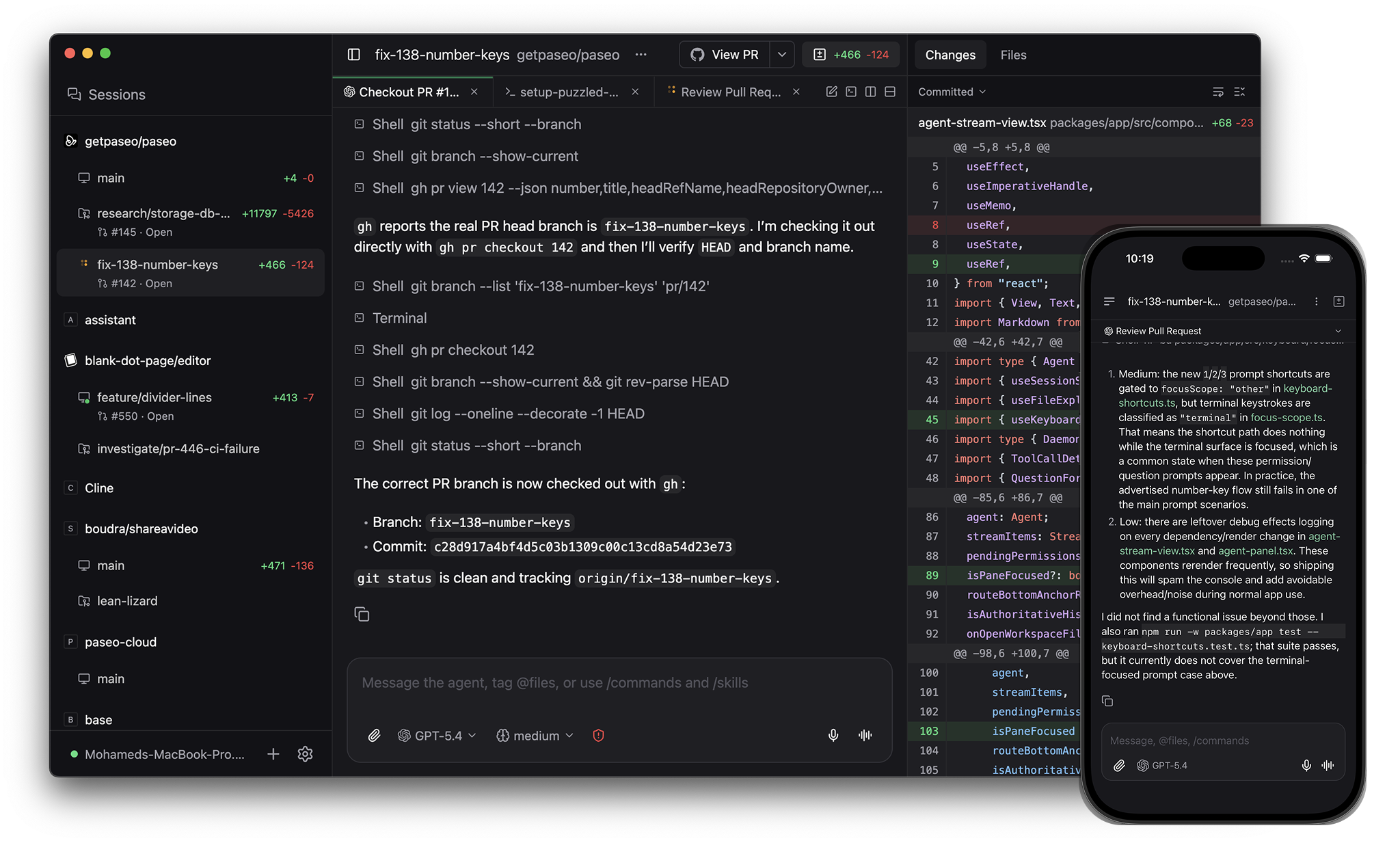
Pier is an app for orchestrating coding agents, with native clients on desktop, mobile, web, and the CLI. Source-available commercial license.
When to pick what
Pick Happy Coder if you want the most minimal setup. Wrap an existing Claude Code or Codex session on your laptop and check in on it from your phone.
Pick Pier if you want:
- A native desktop app on macOS, Linux, and Windows
- Git worktrees for parallel agents
- Per-worktree dev server URLs
- GitHub PRs, checks, reviews, and merges in the app
- Many more agents than Claude Code and Codex
- A CLI to script agent work and drive remote daemons
Architecture
Pier runs the agent inside its own daemon. The daemon owns the agent lifecycle, the worktree, and the dev servers. Clients connect over a websocket and drive the daemon.
Happy Coder runs the agent inside its existing CLI on your laptop and syncs the session to its mobile and web clients through an end-to-end encrypted relay.
Panes
Pier's app has split panes and tabs (⌘D for vertical, ⌘⇧D for horizontal). Panes include a terminal alongside your agents, a diff viewer, and a browser for testing running services.
Happy Coder does not have a desktop app.
GitHub
Pier's app handles commit, push, opening PRs, watching checks and reviews, and merging.
Mobile
Both tools ship native iOS and Android apps.
Providers
Pier runs Claude Code, Codex, OpenCode, and Pi natively, plus 30+ more agents through the in-app catalog including GitHub Copilot, Cursor, Gemini CLI, and Amp. Pier speaks the Agent Client Protocol, so any ACP agent works. Custom providers run any CLI agent. See Supported providers.
Happy Coder runs Claude Code and Codex.
Worktrees and services
Pier runs each agent in its own git worktree. Each worktree gets its own dev server hostname like web--fix-auth--my-app.localhost, so parallel agents don't fight for the same port.
Happy Coder runs the agent in the directory you launched the CLI from.
CLI
Pier has a CLI that mirrors the app:
pier run --provider codex "implement OAuth"
pier run --host devbox:6767 "run the test suite"
pier ls
pier send <agent-id> "add tests"
pier schedule create --cron "0 9 * * 1" "audit the codebase"
pier run --host connects to a remote daemon. pier schedule runs an agent on a cron. pier loop retries an agent until a verification command passes.
Happy Coder has a CLI to launch the wrapped session. It does not have schedules or loops.
Voice
Pier's speech-to-text and text-to-speech run locally on your device. Nothing leaves your network.
Comparison
| Pier | Happy Coder | |
|---|---|---|
| License | Source-available commercial license | Open source (MIT) |
| Desktop app | macOS, Linux, Windows | — |
| Native mobile | iOS, Android | iOS, Android |
| Architecture | Daemon owns agent lifecycle | Wraps the agent CLI |
| Providers | Claude Code, Codex, OpenCode, Pi + 30+ via ACP catalog + custom | Claude Code, Codex |
| Split panes and tabs | Yes | — |
| In-app terminal | Yes | — |
| In-app browser | Yes | — |
| GitHub workflow in app | Commit, push, PR, checks, reviews, merge | — |
| Git worktrees | Yes | — |
| Per-worktree dev server URLs | Yes | — |
| CLI | Run, --host, ls, send, schedule, loop | Launch wrapped session |
| Local voice (on-device) | Yes | — |
See also: Pier vs Conductor, Pier vs Superset, Pier vs OpenChamber.